
For commission-driven sales teams
Every rep knows what the deal is worth before they hang up
When pay rides on the sale, working blind is expensive. CloudDialer shows each rep their own commission as it grows — already booked and still in the pipeline — so payout stops being a monthly argument and starts being a number on the screen.
The struggling moment
The seller who can't see what a call is worth
A rep on commission spends all day weighing deals — which order to push, which discount to give, which call to make next. Most of them do it on a gut feel for their own pay, because the real number lives in a spreadsheet the manager updates once a month. By the time the payout lands, the conversation that shaped it is weeks gone. CloudDialer closes that gap: the commission a rep is earning is visible to the rep, the moment the order is written.
- Pay you can see, not pay you find out about at month-end
- The number updates as orders move, not on a manual cycle
- Fewer 'how was this calculated?' conversations, because the math is on screen
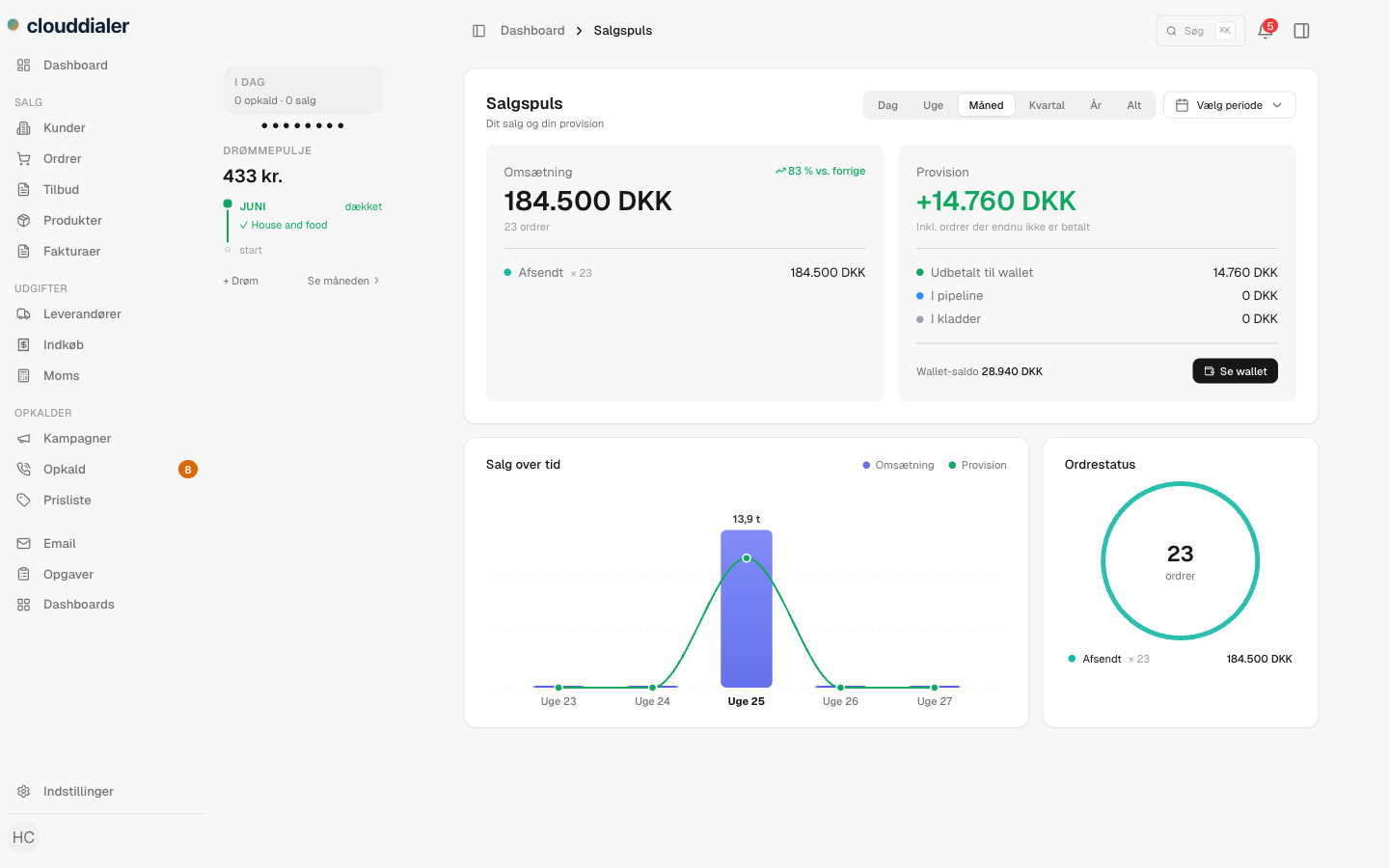
Salgspuls
Booked, in pipeline, and on its way — split out for every rep
Salgspuls is the rep's own commission view. It separates the money three ways so nothing is ambiguous: what's still in drafts, what's sold and waiting to be paid out, and what's already credited to their wallet. The three add up to the total, and every amount is shown in the rep's own currency. For each deal still in the pipeline, it names the exact step that has to happen before the money lands — accepted, completed, or paid.
- Three clear states: in drafts, in pipeline, paid out
- Pipeline deals show the next step needed before the credit lands
- Shown in each rep's wallet currency, not a head-office base currency
The commission engine
Your pay plan, exactly as you actually run it
Rules, not hard-coded formulas
Percent of margin, percent of revenue, flat amounts, or conditional rules — built by an admin, no developer needed. The same rules that calculate pay drive what every rep sees.
Per-rep and per-product scope
A rule can apply to everyone or to named reps, to all products, specific categories, or single products — so a junior rate and a senior rate can live side by side.
Reward the right mix
A diversity bonus pays more when an order spans more unique products, so reps are nudged toward fuller baskets instead of one easy line.
Conditions that match real deals
Rules can key off order total, subtotal, customer group, whether a gift is included, and more — the floor splits and gift handling you already use, encoded once.
Pays when you say it pays
Choose the moment commission is earned per rule: when the order is accepted, completed, or paid. The wallet is credited at exactly that step.
Override when a deal is special
An admin can set a manual commission on a single order. Every screen — and the actual payout — honours that one number, so there's never a discrepancy.
Prisliste
Run the math backwards: sell at this price, earn this percent
Most pay plans only answer 'given the sale, what's the commission?'. CloudDialer answers the question reps actually ask on a call: 'if I want to earn this much, what do I sell it at?'. The price list runs the live commission engine in reverse for every product, so a rep can see the sell price that hits a 26% or 45% target — gifts, conditions and rule stacking all accounted for. It can never promise a commission the engine wouldn't really pay.
- Target a commission level, get the sell price for it
- Honours gifts, order conditions and stacked rules automatically
- Built from your own rules — it reflects whatever the admin set up
How it fits together
From a written order to a number the rep trusts
An admin builds the pay plan
Set the rates, scopes, conditions and the moment each rule pays — in the rules engine, without writing code.
The rep writes the order
As the deal takes shape, the projected commission appears in Salgspuls — drafts included — so the value of the call is visible while it's still live.
The deal advances
When the order is accepted, completed or paid — whichever the rule names — the commission moves from pipeline to the rep's wallet.
Pay matches the screen
What got credited is the same number the rep watched all month. No reconciliation, no monthly argument.
Common questions
Can different reps have different commission rates?
Yes. A rule can target everyone or named reps, and can be scoped to all products, specific categories, or single products — so a junior rate, a senior rate and a product-specific rate can run at the same time.
When does commission actually get paid out?
You choose, per rule. Each rule pays when an order is accepted, completed, or paid. The rep's wallet is credited at exactly that step, and Salgspuls shows which step a pipeline deal is still waiting on.
What if a rep sells in a different currency?
Every commission amount in Salgspuls is converted to the rep's own wallet currency, so the number they watch is the number that means something to them.
Can we override commission on a one-off deal?
An admin can set a manual commission on a single order. Every surface and the real payout use that one value, so the screens and the wallet never disagree.
Do we have to use the commission module to use CloudDialer?
No. Commission is one module you switch on when you sell on commission. The CRM core and the dialer work on their own, and you turn on the rest the way you sell.
Make commission something your reps can see
Switch on the module, build your pay plan once, and let every rep watch their own number grow — booked and in pipeline — instead of finding out at month-end.