
Campaigns
One queue per job, not one queue for everything
Group leads into campaigns, choose how each one dials, and turn every call outcome into a label that can move the lead forward on its own. A fresh cold list and a stack of callbacks do not belong in the same pile — so they don't have to be.
Built for how lists really work
Sort the work before the work starts
A campaign is a named group of leads with its own rules of engagement. Set how leads are ordered — unprocessed first, callbacks due first, highest score first, redials first, newest import, and more — so the next number an agent hits is the right one, not a random one. Keep a campaign inside business hours, cap call attempts, and hold a cool-down between redials so nobody gets hammered.
- Nine ordering strategies — pick what 'call next' should mean for this list
- Business-hours windows, attempt caps, and redial cool-downs per campaign
- Exhausted leads roll into an archive campaign instead of clogging the queue
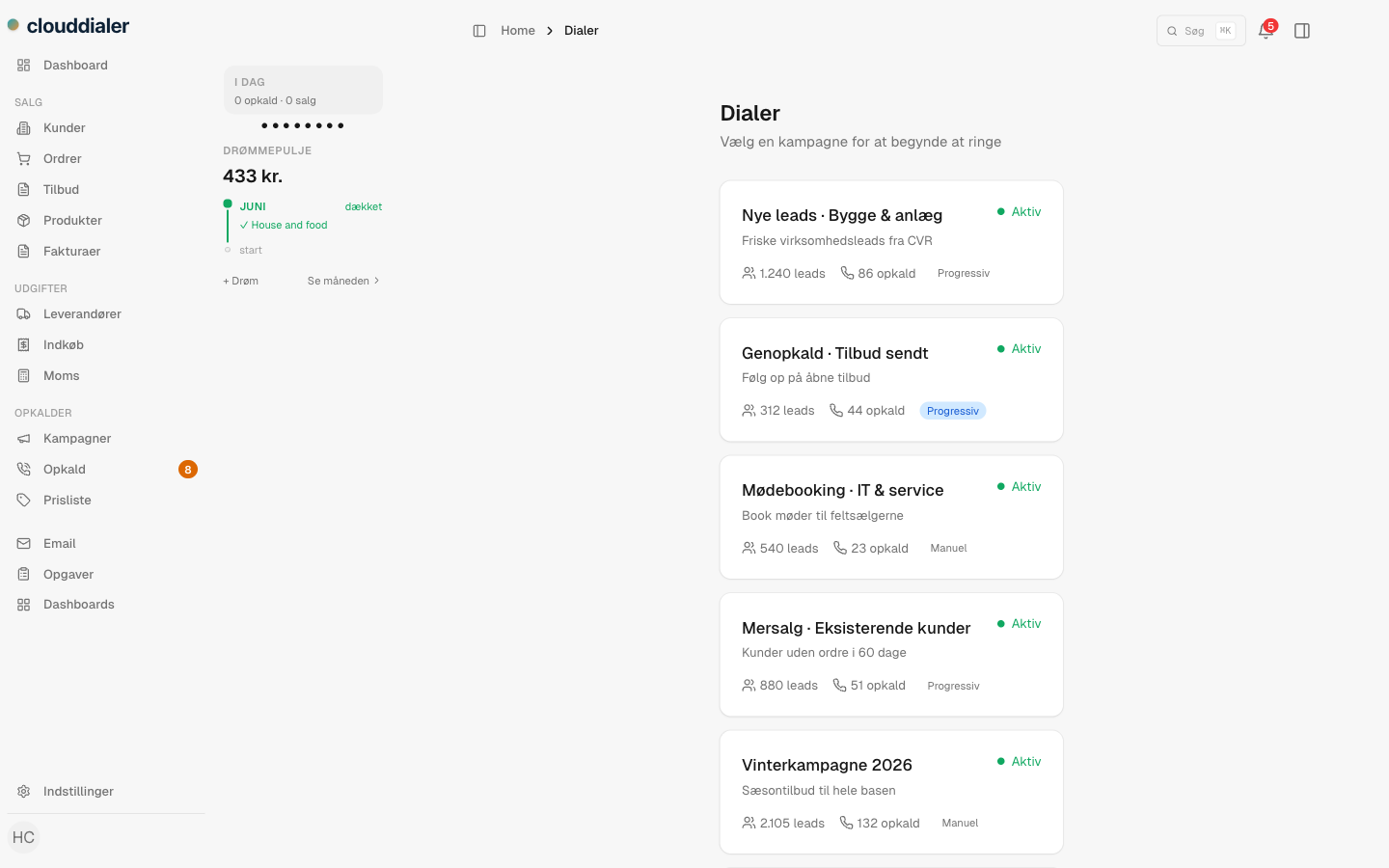
Per-campaign dialing
Match the dialing to the list
Pace lives on the campaign, not on the agent. Run a manual campaign when reps need to read the lead and breathe between calls, and switch a high-volume list to progressive so the next number is already ringing as one call ends. The same agent can work a careful win-back list and a fast cold list back to back — the campaign decides the rhythm.
- Manual for considered, research-heavy calls
- Progressive to keep a busy list moving without manual dialing
- Change the mode on a campaign without rebuilding the list
Dispositions
Every call ends in a word that means something
Dispositions are the outcome labels agents pick when a call wraps — Sold, Not interested, Call back Tuesday, Wrong number, your words for your pipeline. They carry small hints that keep the wrap honest: prompt for a callback time, require a note, or show an order-amount field so a win is captured in the moment instead of from memory. Use one shared set across the org, or give a campaign its own.
- Outcome labels in your own language, grouped as positive, callback, negative, or neutral
- Hints that prompt a callback time, require a note, or capture a sale amount
- Share dispositions org-wide or define a set just for one campaign
How a campaign runs
From a raw list to a moving pipeline
Group the leads
Import or assign leads into a campaign, then choose what 'call next' means — unprocessed first, callbacks due, highest score, and so on.
Set the pace and the guardrails
Pick manual or progressive dialing, set business hours, an attempt cap, and a cool-down between redials.
Agents call and label
Each call ends in a disposition. The hint behind it asks for the callback time, the note, or the sale amount right there.
The outcome sets things in motion
A disposition can fire a rule — book the callback, snooze a dead lead, move it to a follow-up campaign, send a recap. No after-call admin.
“Dispositions are just labels for the outcome. What happens next is a rule you write — so the same word can book a callback in one campaign and start a win-back sequence in another.”
Questions about campaigns
Can different campaigns dial differently?
Yes. Dialing mode is set per campaign. Run one list manually and another on progressive dialing at the same time, with the same agents.
Do I have to reuse the same outcome labels everywhere?
No. Keep one shared set of dispositions for the whole org, or give a specific campaign its own labels when it needs different outcomes.
What actually happens after an agent picks an outcome?
Whatever you decide. A disposition can trigger a rule — schedule the callback, move the lead to another campaign, snooze it, or send a follow-up. The label stays simple; the automation lives in the rules engine.
What happens to leads we've fully worked through?
A campaign can point to an archive campaign, so exhausted leads roll out of the active queue automatically instead of cluttering what agents see next.
Is callback scheduling per-agent or shared?
Both. A callback can stay private to the agent who booked it, or go into a shared queue the next available rep picks up — and an agent's own callbacks can follow them across campaigns if you allow it.
Stop calling one big pile of leads
Group the work, set the pace per list, and let the outcome of each call do the next step for you. Campaigns are part of the CloudDialer core — turn them on and start dialing.