
For outbound sales teams
Your reps should be talking, not typing
On an outbound floor the day disappears into admin — writing up the last call, hunting for the next number, logging what was said. CloudDialer takes that work off the rep. The call dials, records, and writes itself onto the lead, so the hour goes to conversations instead of the keyboard.
Dial the way your floor works
Manual when it's a relationship, progressive when it's volume
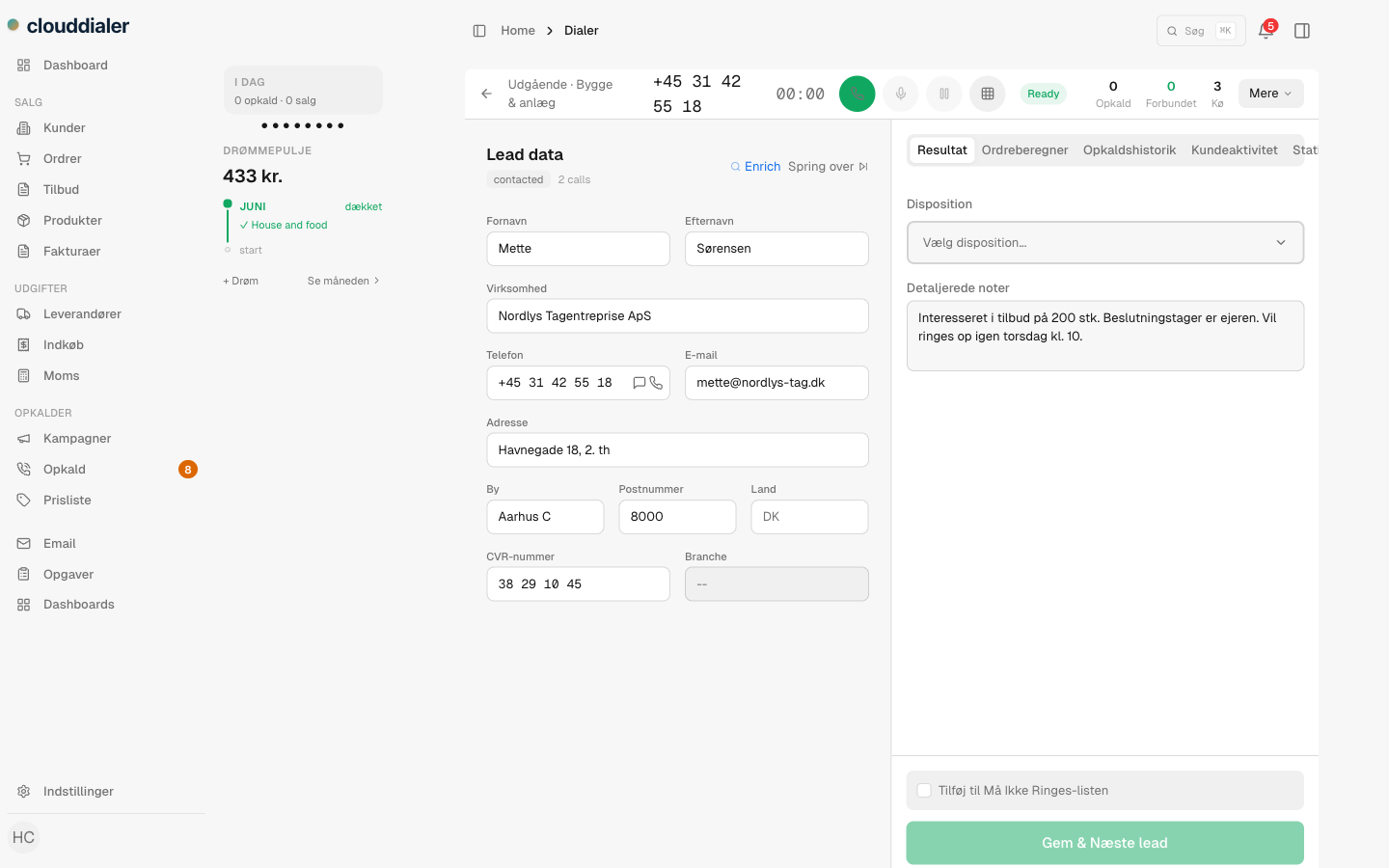
Some lists you work one careful call at a time. Others you want to burn through. Set the mode per campaign: manual dialing for high-value, considered outreach, or progressive to keep the next lead loading the moment a call ends. Either way the rep stays in one screen — the lead, the script, the dialpad, the history — and never alt-tabs to a separate phone tool.
- Manual and progressive modes, set per campaign
- Leads handed out by round-robin or least-loaded, so no one cherry-picks
- One cockpit: the open lead, its history, and the call controls together
The call writes itself up
Every call logged on the lead before the rep hangs up
The recording attaches to the lead and the call is transcribed to searchable text — no rep retyping what was said, no half-remembered notes. The next person to open that lead reads exactly how the last conversation went. And because the transcript is text, you can search across calls for a phrase, an objection, or a competitor's name.
- Recording and full transcript saved on the lead automatically
- Search across every conversation by what was actually said
- Danish, Swedish and English handled — language detected per call
How a call moves
Pick up, talk, pick the outcome — the rest is handled
The lead loads with context
Reps see who they're calling and the full history before they dial — no scrambling between tabs to remember the last touch.
The conversation captures itself
The call records and transcribes onto the lead while it happens. Nothing to type up afterwards.
One click sets the disposition
Mark it won, lost, callback or neutral. A callback schedules the next attempt; nothing slips because someone forgot to write it down.
Rules take it from there
Follow-up email, a snooze back into the pool, a task for the closer — your rules fire on the outcome so the rep moves straight to the next call.
Follow-up that doesn't depend on memory
Dispositions decide; rules do the work
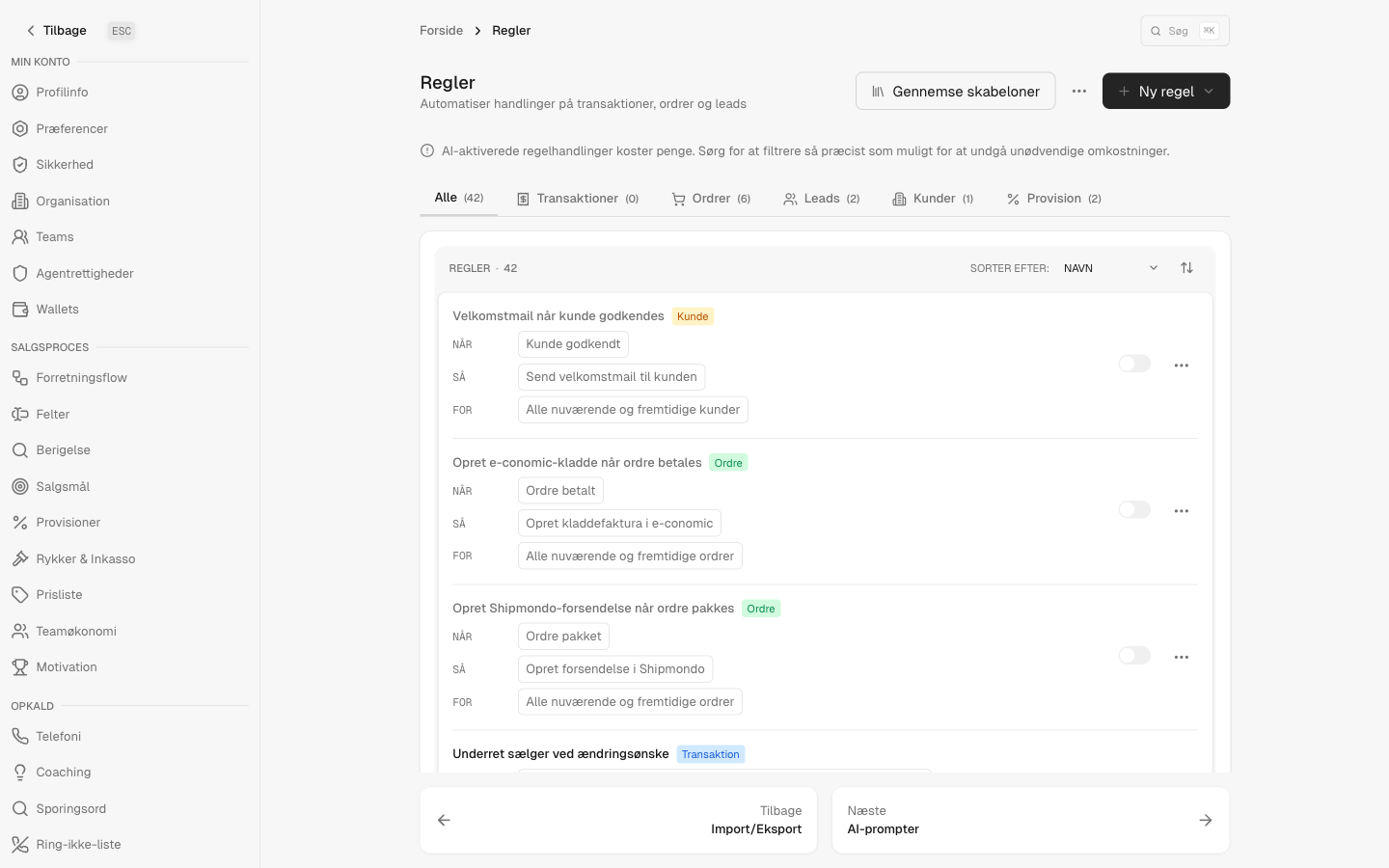
When a rep marks how a call went, that outcome is the trigger. A negative answer can snooze the lead and return it to the pool weeks later instead of being dialed into the ground. A callback books itself. A win can hand the deal to a closer and fire a confirmation. You decide what each outcome means once, in the rules engine, and it happens every time — the same engine that ties the rest of CloudDialer together.
- Outcomes: won, lost, callback, neutral — your labels, your colors
- Callbacks schedule the next attempt automatically
- Wire any outcome to email, tasks, snoozes or hand-offs in the Rules engine
Every rep sees their number
Commission a rep can check between calls
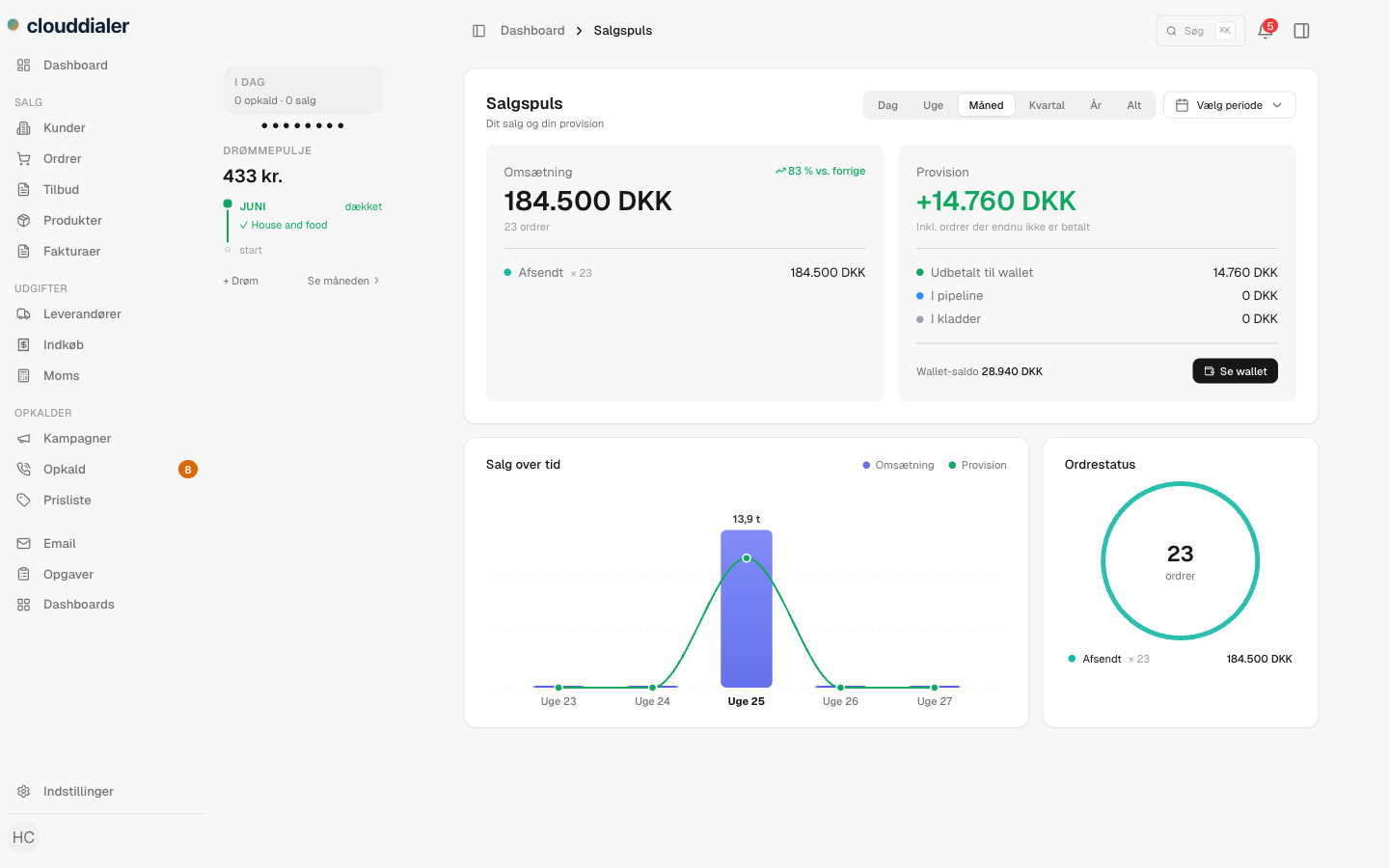
Outbound reps work harder when they can see what the work is worth. Each seller has a live commission view that updates as deals land — what's earned, what's pending — so a manager isn't fielding 'how much have I made' all month and a rep isn't waiting for a spreadsheet at payday. It's the rep's own scoreboard, on the same screen they sell from.
Questions outbound managers ask
Do you do predictive dialing?
Not today. CloudDialer dials manual and progressive. We'd rather ship the two modes that work well than claim a third that doesn't.
Can a manager coach from the calls?
Yes — after the call. Every call is recorded and transcribed onto the lead, so a manager can review what was said and coach from real conversations. There's no live in-call whisper; coaching happens on the recording, not over the rep's shoulder mid-call.
What stops good leads from being burned out?
Dispositions. A negative outcome can snooze a lead and send it back to the pool weeks later, so the list rests instead of being dialed into the ground. You set that behaviour once as a rule.
Does it work for a Nordic team across languages?
Calls are transcribed with Danish, Swedish and English detection, so a mixed Scandinavian floor isn't stuck in one language. More on that on the Nordic page.
What do we have to switch on?
Outbound is a set of modules — dialer, recording, dispositions, rules, commission. Turn on the ones your floor needs and leave the rest off. The CRM core is free; the modules around it are how CloudDialer flexes to how you sell.
Give your reps their hour back
Less admin, more dials, and a clear record of every conversation. See CloudDialer run a real outbound call, or start free with the CRM core and switch on the modules your floor needs.