
ONE LOGIN, AND YOU'RE CALLING
A new rep on live calls the morning they sign in
No desk phone, no software to install, no IT ticket. CloudDialer runs the whole dialer inside the browser tab your team already has open. Hand someone a login and a headset, and the first call goes out the same morning.
THE DIALER IS A TAB
The phone is the browser they already have open
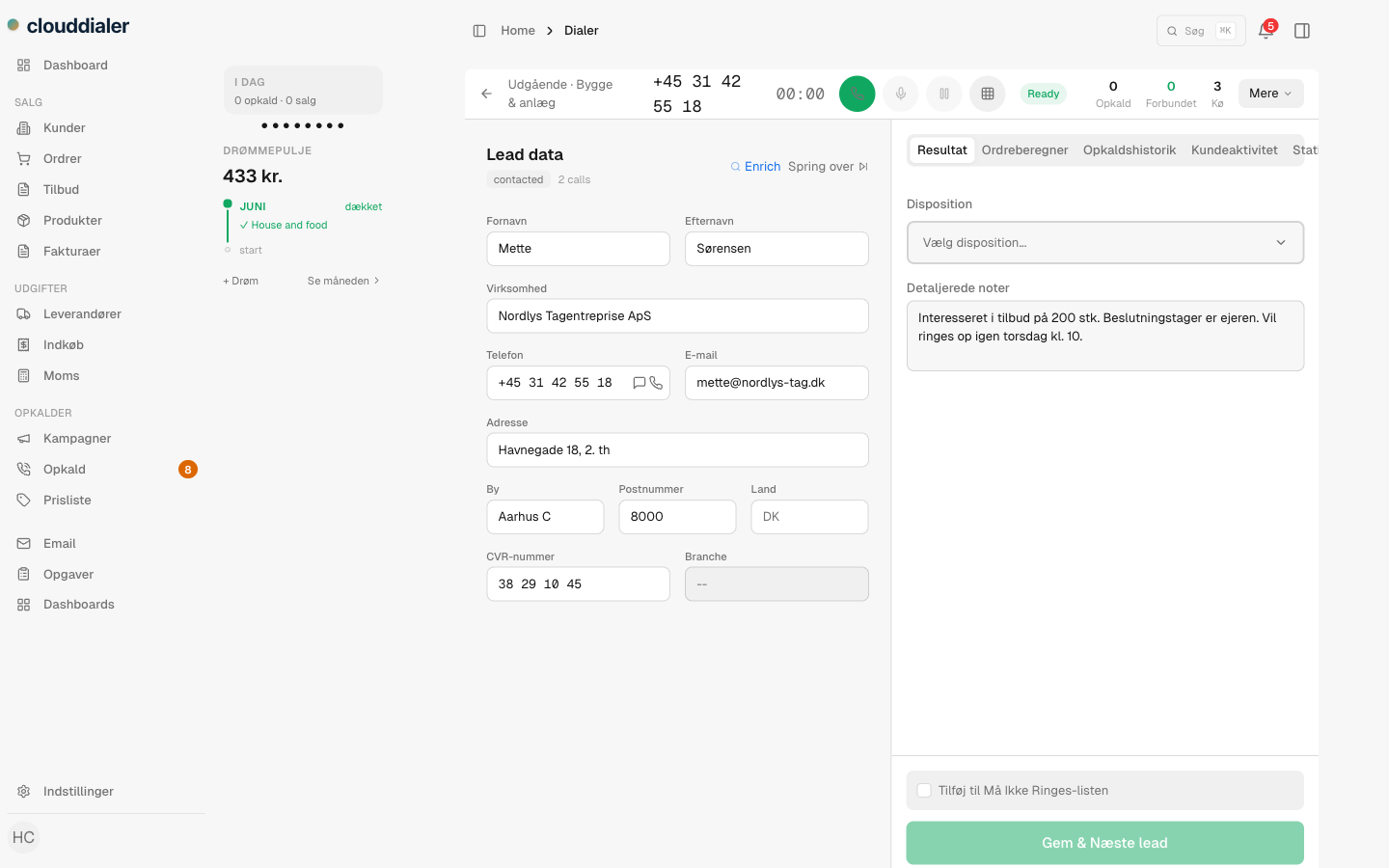
There's no separate softphone to download and no handset on the desk. The call is placed straight from the browser tab — CloudDialer asks once for the microphone, and the headset becomes the phone. Reps work calls, notes and the lead's history on a single screen, never alt-tabbing between a dialer app and the CRM.
- Outbound calls placed from the tab itself — nothing installed on the machine
- Notes, disposition and the lead's record live on the same screen as the call
- The line stays connected as reps move between leads — no reconnect between calls
DAY ONE
From hire to first dial
Send a login
Add the new rep and send the invite. They open the link in the browser they already use — no machine to set up, no admin rights needed.
Their line is waiting
Their calling line is claimed automatically from a pre-built pool the moment they're added. No extension to configure by hand, no PBX work for you.
Plug in a headset
The browser asks once for the microphone. That's the whole hardware list: a headset and a connection.
Dial out
The first real call goes out the same morning — on your own number, with the lead's full history already on screen.
What it takes to get a rep calling
NO IT PROJECT
Scale the floor without scaling the setup
Adding the tenth rep takes the same five minutes as the first. Each new agent's calling line is claimed from a ready pool automatically, so there's no per-seat phone provisioning, no on-site equipment and no IT rollout standing between a new hire and their first conversation. Remote, hybrid or in the office — if they can open a browser, they can take calls.
- Every new seat provisions its own line automatically — no manual phone setup
- Works wherever the rep is — home, office or a borrowed laptop
- No on-site hardware to buy, ship or maintain
The practical questions
Does each rep need to install anything?
No. The dialer runs inside the browser tab. There's no softphone download and no admin rights required — a login and a headset is the whole list.
What hardware do we need?
A computer with a browser, a headset and an internet connection. No desk phones, no SIP boxes, no on-site PBX to run.
How fast can a new rep start calling?
The same day. Their calling line is assigned automatically when you add them, so once they accept the login and plug in a headset, they can dial out.
Do calls come from a generic number?
No. Outbound calls present your organisation's own number, so the people you call see a number that belongs to you.
Are call recordings and transcripts live?
Recording happens during the call; the transcript and the AI summary are produced after the call ends, not whispered live in your ear.
Sign in. Plug in. Start dialing.
Put the dialer where your team already works — in the browser, with nothing to install and no setup project between a new hire and their first call.