
Shipmondo fulfilment — module
The order is closed. The parcel is already on its way.
When your sales team also ships goods, the handoff between closing a deal and getting it out the door is where things stall. This module turns a paid order into a booked Shipmondo shipment, follows it to the customer's door, and brings returns back — all inside the same workspace where the sale happened.
From order to label
One order. One shipment. No re-typing addresses into a second system.
Most teams that sell and ship live in two screens: the CRM where the deal closes, and the shipping tool where the parcel gets booked. Every address gets copied across by hand, and every typo becomes a failed delivery. This module books the shipment straight from the order — sender, receiver, carrier, service and parcel weight already filled in from what you sold.
- Receiver address, contact and email pulled from the order's delivery or billing address — nothing keyed twice
- Carrier, product and service codes come from the shipping method you picked, so the right label prints every time
- Parcel weight is summed from the products on the order (with a sensible carrier minimum), not guessed
- Tracking number and the print-ready label come back on the order the moment the shipment is booked
Country normalization
"Danmark", "Denmark", "DK" — the carrier only accepts one of them.
Free-text country fields are where shipments quietly fail. A customer wrote "Sverige", your carrier wants "SE", and the label bounces. This module normalizes the country before the shipment is ever booked — Danish and English names, common spellings and two-letter codes all resolve to the ISO code the carrier expects.
- Danmark, Sverige, Norge, Tyskland and dozens more map to DK, SE, NO, DE automatically
- Two-letter codes pass straight through; everything else is looked up, not rejected
- Returns get the same treatment, so a return pickup never fails on a mistyped country
How a parcel moves
What happens after "mark as paid"
Book the shipment
From the order, the module sends sender, receiver, carrier and parcel details to Shipmondo and books the shipment. The label and tracking number land back on the order.
Watch it travel
CloudDialer polls the carrier's tracking through Shipmondo on a schedule — it doesn't sit and hope a webhook arrives. Shipments still in transit after a week get flagged so nothing goes quietly missing.
Confirm delivery
When the carrier reports "leveret", "afleveret" or "delivered", the fulfilment flips to delivered on its own, with the real delivery time.
Close the loop
Once every parcel on the order is delivered, the order completes — and that delivery can trigger your next rule, like a thank-you message or a follow-up call.
Tied into the Rules engine
Ship the moment a deal qualifies — without a person remembering to.
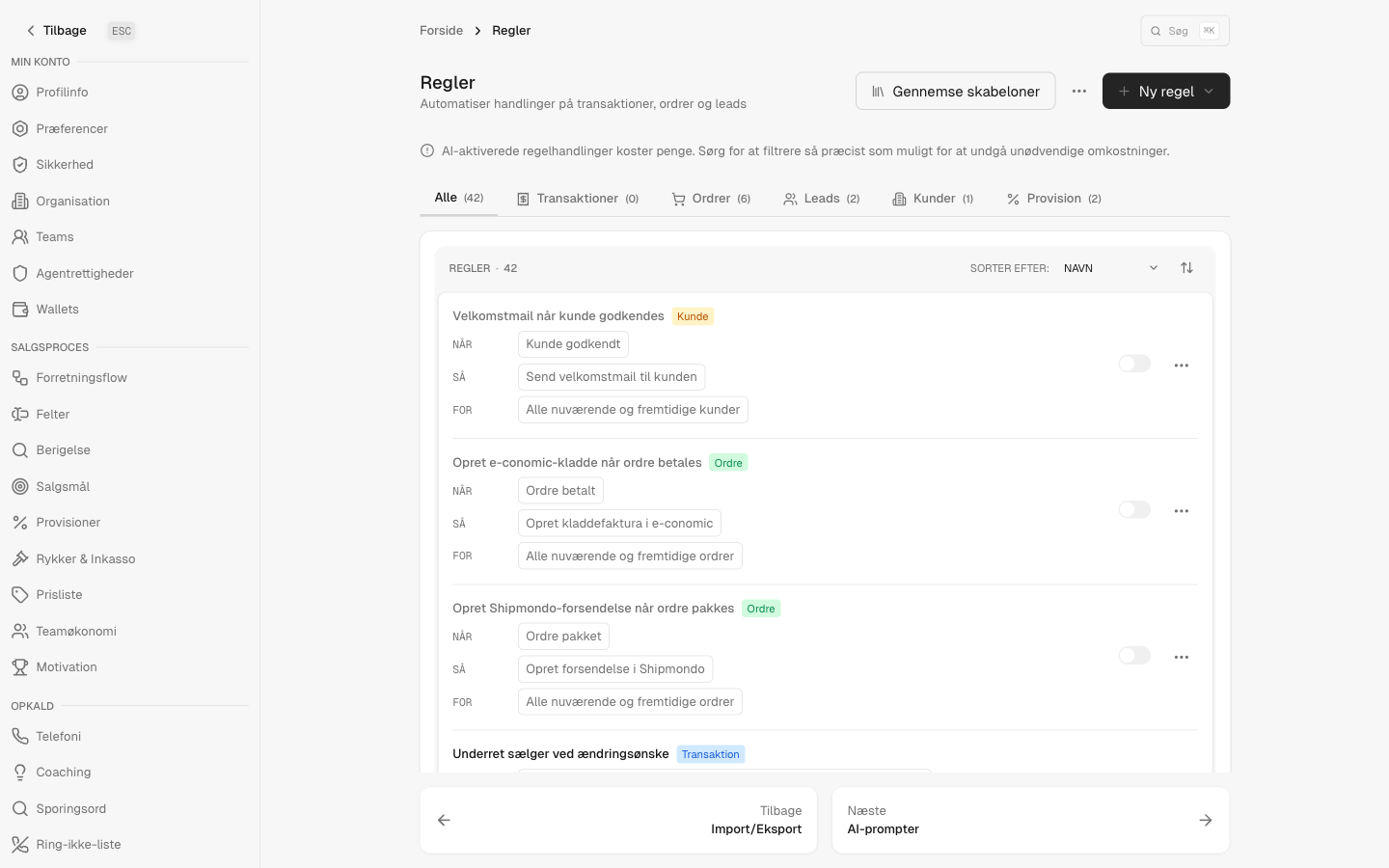
Fulfilment isn't a bolt-on here; it's wired into the same Rules engine that runs the rest of the suite. "Create shipment" and "Create return pickup" are rule actions, and a shipment's status is a condition you can branch on. That means the rule that books a parcel is the same kind of rule that sends an SMS or queues a call — one place, one mental model, connected to how you actually sell.
- Make "book the shipment" an automatic action on the orders that should ship now
- Branch on Shipmondo status — packed, in transit, delivered, returned — to drive follow-ups
- A confirmed delivery is its own trigger, so post-delivery outreach starts itself
Returns
A return that the warehouse can actually see.
A return isn't done when the customer asks for it — it's done when the parcel is on its way back and the warehouse knows it's coming. This module creates the return against the original shipment, so Shipmondo treats it as a proper return and your 3PL sees it on their side, with a pickup scheduled and the items listed.
- Linked to the original outgoing shipment, so it's a real return, not a stray new parcel
- A pickup is scheduled and the warehouse address is set as the receiver
- Works whether you ship from your own Shipmondo account or through a 3PL warehouse
Honest answers
Do I need this if I only sell, not ship?
No. This is an add-on module for teams that also send physical goods. The CRM core, the dialer and the rules work without it — switch fulfilment on only when you have parcels to move.
Does it work with a 3PL warehouse, or only my own account?
Both. You can connect your own Shipmondo account or run in 3PL-warehouse mode where a logistics partner handles the picking and packing. Booking, delivery tracking and returns work either way.
How does it know a parcel was delivered?
It actively polls the carrier's tracking through Shipmondo on a schedule and looks for a delivery event in Danish or English. We don't rely on a webhook showing up — undelivered shipments are checked, and ones stuck in transit past a week are flagged.
Which carriers can I track?
Tracking links are built for GLS, PostNord, DAO, Bring, DHL, UPS and FedEx, recognised from the carrier and the tracking-number format — so the right "track my parcel" link is there without configuration.
Will it print labels?
Booking a shipment returns the carrier label with the order, ready to print in your configured format. The tracking number arrives at the same moment.
Sell it, ship it, and know it landed — in one place.
Switch on the Shipmondo module when your team is ready to ship. See it run against your own orders, carriers and warehouse first.