
Rules & automation
The work between the work, handled
Write a rule once — when this happens, do that — and it runs across the modules you turned on. The follow-up SMS, the booked callback, the paid-invoice celebration, the commission entry: done the moment the trigger fires, while your reps stay on the phone.
One rule, the whole motion
Pick a trigger, pick an action. That's the whole language.
Every rule reads the same way: when something happens to a lead, an order, a quote or a rep, do one thing — or a short chain of things. No scripts, no developer, no separate automation tool to babysit. Because the engine sits underneath the rest of CloudDialer, that one sentence reaches the dialer, your inbox, SMS and the commission ledger at once.
- 22 lead triggers — from a disposition set or a call ended to a score crossing a threshold or a callback coming due.
- Add a condition when you need precision: only this campaign, only deals over a value, only a specific disposition type.
- Chain actions and insert a wait, so a single rule can send, then pause, then follow up.
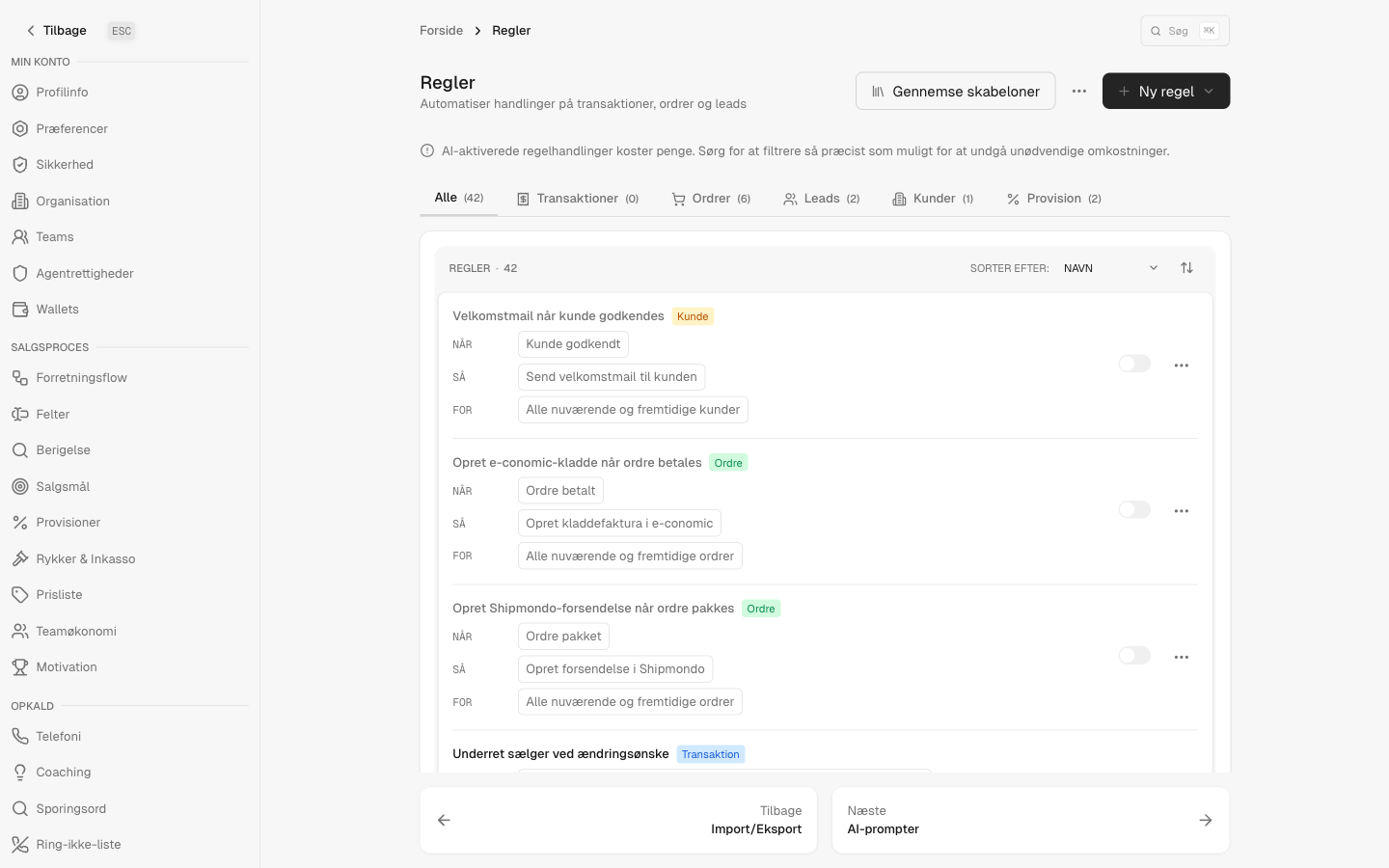
It drives what you switched on
The same engine, reaching every module
The dialer
Reassign a lead, snooze it for two months on a no, schedule the callback, set the disposition, reset attempts — the queue keeps itself tidy without a manager touching it.
Fire the order confirmation, the quote, the pay-link or the tracking note to the customer or the rep the instant the moment calls for it.
SMS
Send the offer text or the 24-hour appointment reminder on a trigger — no copy-paste, no one remembering to do it.
Commission
When an invoice is paid, the rule books the commission entry, so what a rep earns follows the rule you set instead of a spreadsheet.
Coaching & motivation
Post-call debriefs, milestone celebrations and pace nudges land for the rep after the call — never a live whisper during it.
Your integrations
Create an e-conomic draft on a paid order or push a shipment to your 3PL — each on its own rule, each off until you turn it on.
How it works
From idea to running rule in a few minutes
Start from a template
Open a ready-made rule like "on a paid order, book the commission" or "on a negative call, snooze the lead." Each module you turn on installs its own pack, so the rules that fit appear already written.
Set the trigger and conditions
Choose the moment it should run and, if you want, narrow it — one campaign, one disposition type, deals over a value. The 22 lead triggers cover the moments that actually happen on a sales floor.
Choose what happens
Send, assign, tag, schedule, snooze, notify, book commission, push to an integration. Chain a few and drop in a wait between them when timing matters.
Switch it on
Rules run the moment their trigger fires. Edit or pause any of them later — nothing is wired into code, so changing your motion is a click, not a ticket.
What's actually in the engine
Questions sales managers ask
Do I need someone technical to set this up?
No. Rules are built from a trigger and an action in plain language, and most teams start by switching on a template rather than building from scratch. There's nothing to deploy and nothing to code.
Is rules an add-on or part of the free core?
It's a paid add-on. When you turn it on, it becomes the automation layer across whichever other modules you've enabled — and each of those modules brings its own pack of templates, so the relevant rules are there waiting.
Can one rule touch more than one module?
That's the point. Because the engine sits underneath the suite, a single "when this, then that" can send an email, schedule a callback and book a commission entry from one event — no glue between separate tools.
Will it coach my reps live on a call?
No. Coaching and motivation actions run after the call — a post-call debrief, a milestone, a pace nudge. There's no live in-call whisper, by design.
What if a rule is doing the wrong thing?
Edit it or pause it whenever you like. Nothing is hard-wired, so adjusting how your team operates is a change you make in the moment, not a project.
Set the rule once. Let it run.
Turn on the automation layer and the follow-ups, reminders and payouts that used to live in someone's head start happening on their own — across every module you've switched on.