
Leads
One clean list your whole team works from
Import your prospects, keep the duplicates and do-not-call numbers out, and let the dialer, your campaigns, SMS, and the rules engine all read the same record. The lead list is the spine the rest of CloudDialer hangs off.
Import
Drop in a spreadsheet, get a working call list
Upload the CSV your data came in. Column headers get matched for you — whether they say Virksomhedsnavn or Company, Telefon or Phone, CVR or EAN — and CloudDialer remembers the mapping you chose last time so the next file maps itself. Custom fields you have defined on the campaign are matched too, so nothing important gets dropped on the way in.
- Danish and English headers recognised automatically, plus your own aliases
- Semicolon, comma, tab or pipe files all parse — and Excel's byte-order mark is handled
- Phone, CVR, EAN, website, tags and three phone numbers per record map out of the box
Clean on the way in
Stop importing the same company twice
Before a single row lands, CloudDialer checks it against the leads you already have and against the rest of the file. The default match is on CVR number, so the same Danish company does not show up in two campaigns under two slightly different names. You decide what happens on a match — skip it, import anyway, or flag it — and rows with no CVR are handled by their own rule.
- Matches both existing leads and duplicates inside the same upload
- Match on CVR, phone, email, company name or your external ID
- Per-trigger rules: skip, import anyway, or export the conflicts for review
What lives on the record
More than a name and a number
Callbacks that come back to you
Schedule a callback during a call and it surfaces on the Callbacks tab when it is due. Keep it private to you or make it public so a teammate can take it over.
Do-not-call, enforced
An org-wide DNC list blocks numbers that opted out, complained, or can't be called for legal reasons. SMS to a do-not-contact lead is refused too.
Shared, not siloed
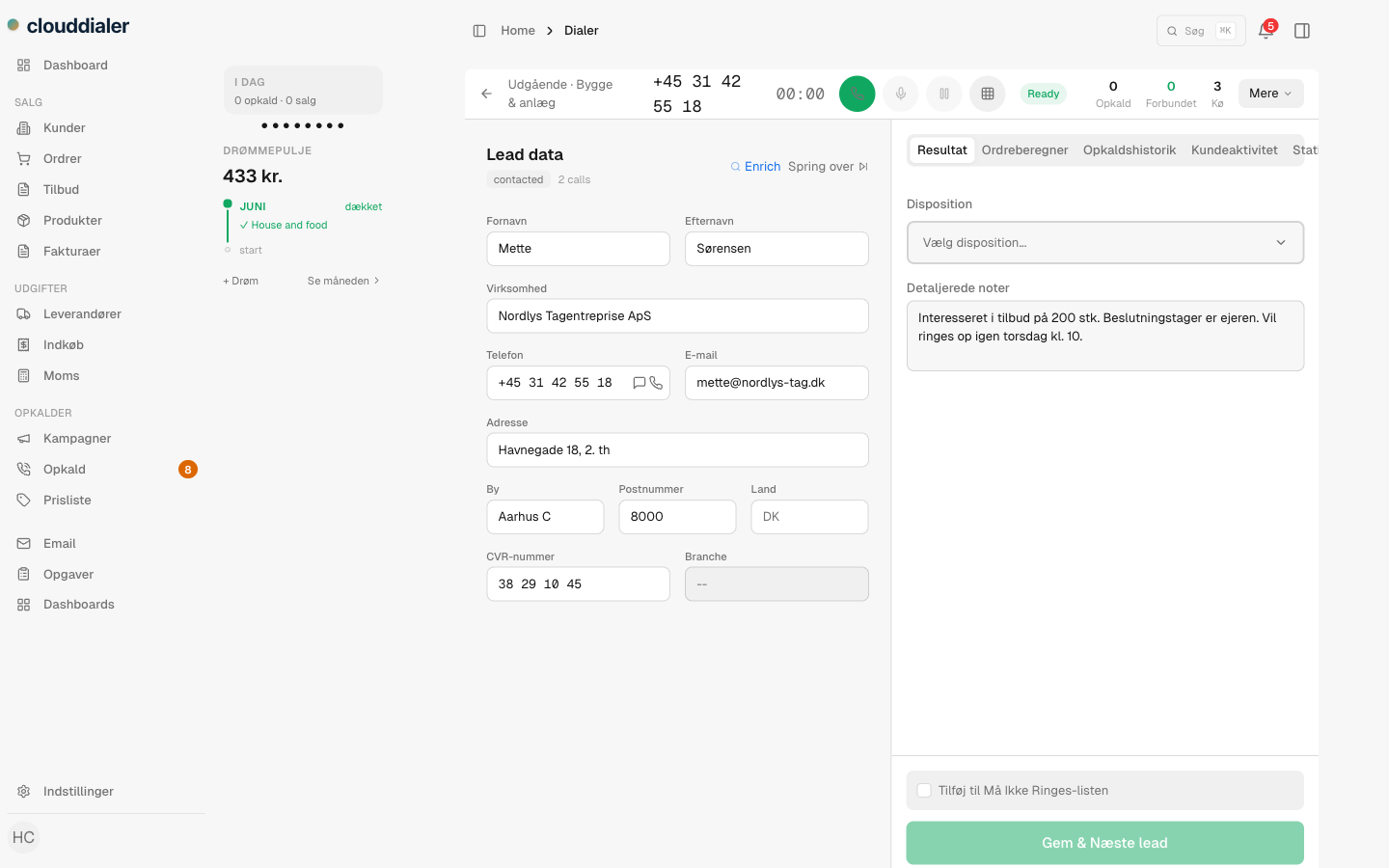
The same lead record feeds the dialer, your campaigns, the rules engine and SMS — change it once and every module sees it.
Call history in context
Every call, disposition and note stays attached to the lead, so the next conversation starts where the last one ended.
Tags and custom fields
Add the fields your sales motion actually needs and tag leads however you segment — both flow through filters and scoring.
Built for Danish data
CVR and EAN are first-class fields, not afterthoughts squeezed into a notes box.
Add-on: lead scoring
Call the best leads first — when you want the help
Scoring is off until you switch it on, per campaign. Turn it on and you define the factors that matter to your team — company size, industry, how many times you've tried, days since the last call — each worth points you set. Leads sort by score so the dialer hands out the warmest ones first, and scores decay over time so a list that's gone cold quietly re-sorts itself.
- Opt-in per campaign — no scoring noise on the lists that don't need it
- Your factors, your points: size, industry, attempts, recency, custom fields
- Optional decay re-ranks leads that haven't been touched in a while
Questions teams ask before they import
What format does my list need to be in?
A CSV. Headers in Danish or English are matched automatically, and you can correct any mapping before the import runs — CloudDialer remembers your choice for next time.
Will I end up with duplicate companies?
Not if you don't want to. Every row is checked against your existing leads and against the rest of the file before it imports, matching on CVR by default. You choose whether a match is skipped, imported anyway, or flagged for review.
Do I have to pay for lead scoring?
No. Scoring is an add-on you can leave switched off. The import, callbacks and do-not-call list are part of the core lead list every team gets.
How does the do-not-call list work?
It's a per-organisation list of blocked numbers — added by hand, imported in bulk, via the API, or automatically when a lead is disposed as do-not-call. Blocked numbers are kept out of calling, and SMS to them is refused.
What happens to a callback I schedule?
It's stamped on the lead and appears on the Callbacks tab when it's due. Private callbacks stay yours; public ones can be picked up by a teammate or taken over by an admin.
Get your list in and start dialing
Import in minutes, keep it clean automatically, and let every module work from one record. Switch scoring on when you're ready for it.