
Browser dialer
Open a tab and start calling
Real outbound and inbound calls live inside the browser your reps already have open. No softphone to install, no desk phone to plug in, no IT ticket to get a new hire dialing.
Nothing to install
The phone is the tab
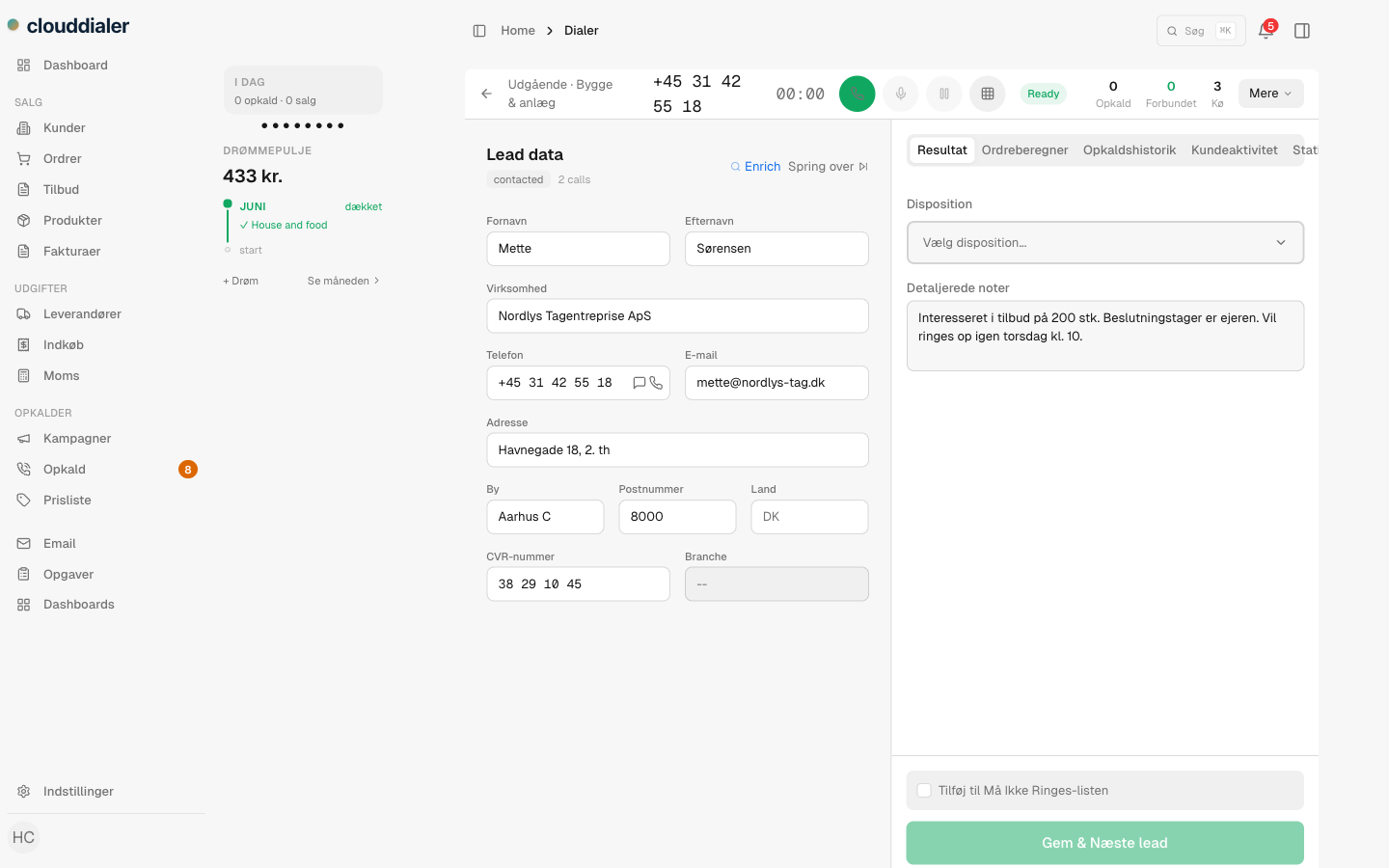
Calls run over WebRTC, straight from the page where the lead is open. A rep logs in and the line is live the same on a laptop in the office, a machine at home, or a borrowed desk. When you hire someone Monday, they are dialing Monday, with nothing to download and nothing to configure.
- Outbound and inbound on one line, in one tab
- Works wherever the browser works office, home, on the road
- New reps are call-ready in minutes, not after an IT setup
Caller ID
Ring out as your own number
Every team gets its own number from an owned pool, and that is the number prospects see. Outbound presents your organization's caller ID, never a shared trunk and never a random unknown string. A number that looks like a real company someone can call back is a number people answer.
- Each organization rings out with a number it owns
- Inbound to that number rings straight back to the team
- No spoofing and no shared pool you share with strangers
What a call gives you
More than dial tone
Outbound and inbound
Place calls to prospects and take the ones that call back, both handled in the same browser line.
Stereo recording
Every call is recorded with the rep on one channel and the customer on the other, so the playback is clean to follow.
Context on screen
The lead, its history, and your notes sit right next to the call controls. No alt-tabbing to find who you are talking to.
How it works
From login to live call
Log in
Open CloudDialer in any modern browser. The line connects in the tab, nothing to install on the machine.
Open a lead
Pick a lead or let a campaign feed you one. Their details and history load alongside the dialer.
Call
Dial out as your own number, or pick up an inbound call to it. Talk, take notes, set the outcome.
Review
The stereo recording is saved against the lead, ready to play back, coach from, or pass to a teammate.
Common questions
Do reps need to install a softphone or app?
No. The dialer runs over WebRTC inside the browser tab. There is nothing to download, install, or keep updated on each machine.
What number do prospects see when we call?
Your organization's own number, drawn from a pool of numbers you own. Outbound presents that caller ID rather than a shared line, and inbound to it rings back to your team.
Are calls recorded?
Yes. Every call is recorded in stereo, with the rep and the customer on separate channels, and the recording is attached to the lead for later playback.
Can the same line take incoming calls?
Yes. The browser line handles both outbound dialing and inbound calls to your number, so a rep does not switch tools to answer.
Will it work for a remote or home-based rep?
Yes. Because the phone is the browser, a rep dials the same way from home, the office, or a borrowed desk, with no hardware to ship.
Put the phone where the work already is
Open a tab, dial out as your own number, and have every call recorded against the lead. See it on a real call before you decide.